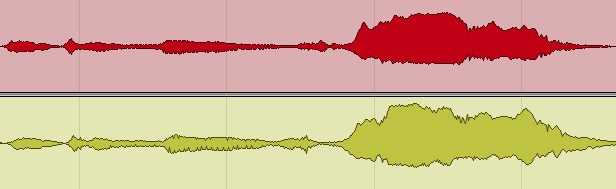
Short answer: podcast mastering means bringing a finished episode to an even, comfortable level and the loudness the platforms ask for. Apple Podcasts asks for about -16 LKFS (LUFS) integrated, ±1 dB, with true peaks no higher than -1 dBFS. Before that comes the mixing: clean up noise and clicks, give each speaker their own track, EQ and compress each voice, and balance the voices and music so the listener never reaches for the volume.
This is a practical guide to mixing and mastering a podcast yourself: the steps in order, the loudness targets the platforms publish, and the mistakes that make an episode tiring to listen to. Speech isn’t music, and a podcast master is judged by different rules: clarity and consistency matter more than impact.
What does mastering a podcast mean?
 In music, mixing and mastering are separate jobs, often done by different engineers. A podcast session usually has just a few tracks: a host, one or two guests, an intro and some music beds. So in podcast production, mixing and mastering are usually done together, often by the same person in one session.
That doesn’t mean you can just normalise the file and upload it. Mastering a podcast is the last step of a chain that starts with the recording and the edit. If the voices are noisy, uneven or harsh, setting the loudness correctly won’t fix them.
Do podcasts need mastering?
Yes, if you want people to listen for an hour without effort. A well-finished episode has no distracting noises, every voice is clear, and the level doesn’t jump between speakers or between talk and music. What mixing and mastering a podcast should achieve:
- remove distracting noises: clicks, bumps, background noise, long breaths;
- make each voice clear and pleasant, and tame harshness and sibilance;
- keep each speaker at the same perceived level, from the first minute to the last;
- fit the intro, outro and music beds around the speech without masking it;
- deliver at the loudness and peak level the platforms ask for, with no clipping.
Pay most attention to the clarity and level of the speech. Listeners will forgive a less-than-perfect sound; they won’t keep listening if they can’t hear a guest or keep adjusting the volume.
Podcast loudness: what the platforms ask for
Use the platforms’ own published specs, not numbers from forums. As of November 2026:
| Where | Level | Peak | Files |
|---|---|---|---|
| Apple | About -16 LKFS, ±1 dB | No higher than -1 dBFS | WAV/FLAC must be 2-channel; MP3 mono or stereo |
| Spotify | No podcast target published; playback is normalised to -14 LUFS | Below -1 dBTP | MP3, M4A or WAV, mono or stereo |
Sources: Apple Podcasts audio requirements; Spotify publishing audio episodes and loudness normalisation (the normalisation article is written for music). Specs change; check them before a launch.
In practice, an episode mastered to around -16 LUFS integrated with true peaks at or below -1 dBTP meets Apple’s spec and works on Spotify, which normalises playback level on its side. Apple measures loudness by ITU-R BS.1770, the same standard any LUFS meter uses, and asks for the loudness to be set before encoding to MP3 or AAC.
Apple doesn’t accept single-channel WAV or FLAC files: if your podcast is mono, export it as a stereo file with two identical channels. For more on the units, see our guides to how loud a master should be and RMS and LUFS.
Why loudness wars don’t apply to podcasting
In pop music, masters are often made far louder than the platforms’ playback level, because the style calls for density and impact. A podcast has no reason to do that. A listener moving from one show to the next shouldn’t get a sudden jump in volume, and speech crushed by a limiter sounds tiring after a few minutes. Aim for the platform level, keep the voices natural and let normalisation do the rest.
- Usually within one working day
- No card, no obligation
- 11,000+ projects behind the answer
The show’s music
 A podcast is rarely only talk. There’s an intro and an outro, music for segment changes, beds under ad reads or highlighted moments. The intro sets the mood of the show, and regular listeners come to recognise it.
Treat the music as part of the mix:
- Use a finished, mastered track. If the theme is licensed library music, it’s usually mastered already. If it’s an original song written for the show, it needs mixing and mastering like any other song.
- Match it to the speech. Music mastered for streaming is usually much denser than speech. Turn it down so the intro doesn’t jump out compared with the voices, rather than turning the voices up to match it.
- Duck beds under speech. Automate the music down while someone speaks, or use a sidechained compressor triggered by the voice, so every word stays clear.
- Fade, don’t cut. Short fades in and out stop the music from starting or stopping abruptly between segments.
How to mix and master a podcast, step by step
Step 1. Record as cleanly as you can
Every later step is easier with a good recording. Record each speaker on their own microphone and their own track, close to the mic, in the quietest and least echoey room available. Soft furnishings help more than people expect. Our guides to choosing a microphone for recording at home and building a DIY vocal booth apply to speech too.
Step 2. Edit and clean the recording
Edit the content first: remove false starts, long pauses and anything that won’t be in the episode. Then remove the accidental sounds: clicks, knocks, mic bumps, loud breaths. Podcasts are rarely recorded in treated rooms, so there’s usually some background noise as well.
Reduce noise, don’t chase silence. Heavy noise reduction makes speech sound hollow and processed, which is more distracting than a quiet, steady room tone.
Step 3. Give each speaker their own track
If two or more people were recorded on one track, split their parts onto separate tracks in the session where you can. Each voice has its own tone and its own problems: one speaks quietly, another is boomy, a third has sharp “s” sounds. Separate tracks let you treat each one individually. If speakers were recorded on separate mics, also check that each mic isn’t picking up the other person loudly; gate or edit out the bleed between phrases if it is.
Step 4. EQ each voice
EQ is the main tool for making a voice clear and pleasant:
- high-pass each voice below its lowest useful frequencies to remove rumble and handling noise, listening for the point where the voice starts to thin;
- cut boominess or a boxy, room-like tone in the low mids if it’s there;
- cut harsh or nasal frequencies with a narrow band rather than boosting everything else;
- use a de-esser if the “s” sounds are sharp.
The aim is a natural voice, not a radio-announcer effect. Our guide on how to mix a vocal explains these moves in more depth; speech needs less of everything than a sung vocal.
Step 5. Compress and level the voices
 Speech needs to be more consistent than a music vocal: people listen in cars, on trains and while walking. Compress each voice so its loud and quiet phrases come closer together. Two gentle compressors in a row, each doing a little, usually sound more natural than one working hard. Then use volume automation (or a levelling tool) for the passages where a speaker leans back or gets excited.
Balance the speakers by ear and by their loudness, not by their peaks. Two voices with the same peak level can sound very different in loudness.
Step 6. Glue the dialogue together
Listen through the whole episode. The level of speech should stay the same from start to finish, with no quiet passages and no jumps. Check the transitions between speakers, between speech and music, and between segments. Tools that automatically tame resonances, such as oeksound soothe2, can help even out the tone of a harsh voice, but use them lightly.
If the podcast is in stereo, check it in mono too: many people listen on a single phone speaker or one earbud.
Step 7. Set the loudness and the final limiter
Now master the episode. Measure the integrated loudness of the whole file and bring it to around -16 LUFS with gain. Put a true-peak limiter at the very end with its ceiling at -1 dBTP, as Apple asks. The limiter should only catch occasional peaks; if it’s constantly working, the voices need more levelling in step 5.
Episodes are long, and it’s easy to miss a loud laugh or a bump in a two-hour file. The limiter makes sure nothing goes over the ceiling, which also leaves room for MP3 or AAC encoding without distortion.
Step 8. Export and check
Export a lossless master (WAV) and then the file you’ll upload, in the format and bitrate your host or platform asks for. Listen to the encoded file, not only the WAV: on headphones, on a phone speaker and in a car if you can. Re-measure the loudness of the final file to make sure the encode didn’t change it noticeably.
Common podcast mastering mistakes
- Loudness by peak normalisation. Normalising peaks to 0 dB doesn’t make speakers equally loud. Use a LUFS meter.
- Too much noise reduction. It makes voices sound underwater. A little steady room tone is fine.
- Music louder than the voices. Intros mastered for streaming are often much louder than speech; turn them down.
- A limiter doing the compressor’s job. Heavy limiting flattens speech and makes it tiring. Level the voices first.
- Mono uploaded where stereo is required. Apple doesn’t accept single-channel WAV or FLAC; duplicate the channel.
Podcast audio and Major Mixing
We’re a music studio: we mix and master songs, and we don’t offer podcast editing or episode mastering as a service. If your show has an original theme song, intro or outro music, that’s a piece of music like any other, and we can master it or mix it from the multitrack. Use the steps above for the episodes themselves.
Got an original theme song or intro music for the show? Our music mastering service is $50 per song, back in 2–3 days per song, with 6 revision rounds included.
Podcast mastering FAQ
What LUFS should a podcast be?
Apple Podcasts asks for about -16 LKFS (the same as LUFS) integrated, within ±1 dB, with true peaks no higher than -1 dBFS. Spotify doesn’t publish a podcast target, so -16 LUFS with a -1 dBTP ceiling works for both.
What is the difference between podcast mixing and mastering?
Mixing is cleaning, EQ, compression and balancing the voices and music. Mastering is the final step: setting the episode’s overall loudness and peak level for the platforms. In podcasts both are usually done in one session.
Why is podcast loudness different from music?
Because the job is different. A podcast has to stay clear and even for an hour, in cars, on trains and while walking, so consistency matters more than impact. Music masters are often much louder than the platforms’ playback level; speech has no reason to be.
How do I balance different speakers?
Put each on their own track, EQ and compress each voice separately, then match their perceived loudness rather than their peaks. Use volume automation for passages where someone leans back from the mic or gets louder.
Should I remove background noise?
Reduce it, don’t chase silence. Aggressive noise reduction leaves speech sounding processed and hollow. A consistent low-level room tone is far less distracting than artefacts.
How much compression do podcast voices need?
More than music vocals, because consistency is the goal. Gentle compression in two stages plus level automation keeps speech even without the pumping one hard-working compressor creates.
Should a podcast be mono or stereo?
Speech works fine in mono, and Spotify and Apple accept mono MP3s. Apple doesn’t accept single-channel WAV or FLAC, though: send those as stereo files with two identical channels.
Do you master podcasts?
No. We’re a music studio and don’t offer podcast editing or episode mastering. We can master or mix a show’s original theme song or intro music, the same as any other song.
Is your mix ready for mastering?
Send the mix or the master you have now. Max Rayden or Ivan Taiga listens on studio monitors and writes back exactly what is holding the track back, and what to do about it.
- Usually within one working day
- No card, no obligation
- 11,000+ projects behind the answer