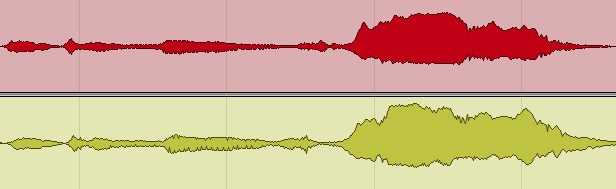

Short answer: there is no best mixing preset, because a preset is a set of decisions made about audio it has never heard. A preset gives you a starting chain and a set of numbers. It can’t know how loud your vocal hits the compressor, how bright your mic is or what else is playing in the song. Use presets to start faster and to learn, then set the input level, adjust thresholds and EQ by ear, and save your own versions.
People ask me about the “golden preset” all the time. After I mix a song and the artist likes it, the next question is often which plugins and settings I used, as if one chain would make every song sound finished. This post is the honest answer: what presets are, what they can and can’t do, and how to use them without letting them make your decisions for you.
What is a mixing preset?

In music production a preset is a saved set of settings you can recall with one click. In mixing the word covers four different things:
- Plugin presets. The settings of one plugin: an EQ curve, a compressor’s threshold, ratio, attack and release, a reverb’s size and decay. Every plugin ships with some.
- Chain presets. A whole row of plugins on one channel, saved together. Each DAW has its own name for them: channel strip settings and patches in Logic Pro, track presets in Cubase, FX chains in REAPER, racks and device presets in Ableton Live.
- Preset packs. Chains sold or given away for a job: “vocal presets”, “trap vocal chain”, “rock guitar presets”, “genre presets”. These are what most people mean when they search for mixing presets.
- Mastering presets. A chain for the stereo bus, usually EQ, compression and a limiter. More on those below.
Mixer presets on hardware consoles and channel mixer presets in apps work the same way: they recall knob positions, nothing more. A preset doesn’t contain any intelligence about your recording.
What a preset can and can’t do
| Use | Works? | Why |
|---|---|---|
| Starting point | Yes | Saves setup time and shows a sensible order of processors. |
| Teaching tool | Yes | Taking a good preset apart teaches you why each setting is there. |
| Sound design | Yes | Synth, delay and reverb presets are creative material, not corrections. |
| Own chains | Yes | Built on your mic, your room and your habits, so they start close. |
| Blind on a vocal | No | Applied unheard, the EQ and compression were set for a different voice, mic and level. |
| Whole-mix fix | No | A mix is the balance between tracks. A preset sees one channel. |
| Skip learning | No | You can’t tell if a preset helped until you know what to listen for. |
The pattern: presets are fine as a beginning and unreliable as an ending. What you change after loading one is what makes the sound.
Why a vocal preset rarely works on your vocal

Take a preset that promises to make you sound like a certain artist. Even if it really is that artist’s chain, it was set for their voice, their microphone, their room, how loud they sang and how hot the signal was recorded. Your timbre, your gear, the key of the song and the arrangement around the vocal are all different. Any one of these can make the preset wrong for your track. Even with the same studio and the same mic, the chances it fits are slim.
Artists also don’t use one chain forever. The sound changes from song to song and from album to album, so a chain that worked on one record is already out of date by the next.
Compression is the biggest problem

A compressor reacts to level. Its threshold is a fixed number, so the same preset does very different things to a quiet take and a loud one. If your vocal comes in 10 dB quieter than the one the preset was built on, the compressor may barely touch it. If it comes in hotter, it may squash every word. The same applies to saturation, de-essers, gates and anything else with a threshold or a drive control. This is why the first step below is about input level, not about the preset.
- Usually within one working day
- No card, no obligation
- 11,000+ projects behind the answer
How to use a mixing preset properly
- Clean up first. Edit, tune and time the part before you judge any processing. A preset can’t fix a take that needs editing.
- Set the input level. Use a clip gain or a trim plugin before the chain so the track hits the first plugin at a healthy level with no clipping, the same way every time. Thresholds and drive controls then start in a usable range instead of doing nothing or far too much.
- Load the preset and listen in the mix. Not soloed. A vocal that sounds big on its own can disappear or poke out once the beat plays.
- Compare at the same loudness. Many presets add level, and louder sounds better at first. Match the output to the bypassed signal before you decide it’s an improvement.
- Adjust, one plugin at a time. Move the compressor threshold until the gain reduction is what you want, then the EQ. Turn off anything that doesn’t do a job you can name.
- Check effects in context. Reverb and delay times in a preset weren’t set to your tempo or your arrangement.
- Save your own version. Name it after what it fixes, for example “Vox – dark mic, bright mix”. After a few songs these are worth more than any pack.
If you want to understand the controls you’re adjusting, start with setting compressor attack and release and our guide on how to mix a vocal. For plugins worth building chains from, see free vocal plugins, saturators and multiband compressors.
Mastering presets
A mastering preset has the same weakness as a mix preset, and a bigger one: the limiter’s gain and ceiling decide how loud and how squashed the whole song ends up. A few things to know before you use one:
- There is no fixed loudness target. -14 LUFS is only the level Spotify plays songs back at. Released music lands anywhere from about -20 to -5 LUFS, and pop masters are often around -9. Set the limiter by ear for the song, not by a number in a preset.
- Keep the ceiling a little under zero. Around -0.3 dB on the limiter output is a common choice.
- If someone else will master the song, send it clean. No preset on the master bus, and peaks around -6 dB. Our guide on how loud a mix should be before mastering explains why.
For tools rather than presets, see the mastering plugins we rate. And if you’d rather have a person do it, our mastering service is $50 per song.
Can you make a unique song with someone else’s presets?
Every song is different, but if you want fans to recognise your work by its sound, think twice before copying another artist’s channel presets. Listeners already know the sound of the hit you’re imitating, so a copy is rarely what grabs them.
Big labels sometimes build a new artist around a sound that already works. They can afford it: they have the budget and plenty of other projects if one fails. An independent artist doesn’t have that cushion, so your sound and your ideas are what make you stand out. If you want to work on that side of your career, read how to get signed by a record label.
A real-life example

When I started as a mixing engineer, I tried to copy reference tracks as precisely as I could. Many engineers learn this way, and there’s nothing wrong with it. I thought that if a track had become a big hit, matching its parameters on a similar song would get me the same result. Even then I could never match a reference exactly, because every song is different.
That period was training, and you can use presets the same way: load them, take them apart, learn from them. Then I started to mix to my own vision, built on the experience I gained working on big projects. I still use reference tracks to check loudness and to keep up with trends, but I don’t try to make a new song sound like one anymore. Once I started mixing each song towards its own best version, my career as a mix engineer started to grow quickly.
Templates save more time than presets
If the goal is speed, a mix template does more for you than any preset pack. A template doesn’t change the sound. It gives you a session where the routing and your usual plugins are already in place, so you start making decisions instead of setting things up.

In my mixing template I have buses for drums, bass, accompaniment, FX, lead vocals, backing vocals and so on, with my favourite plugins already loaded. They sit at their initial settings, not presets, ready for whatever the song needs.
On the drum bus, for example, I have the processors I reach for most on drums: tape machine emulation, a slow compressor, a faster API-style compressor, a more aggressive compressor and a few more tools. I don’t use all of them on every song, and the settings are different every time. Sidechain and parallel compression sends are also set up and ready. The same goes for the other buses, with the EQs and effects I use most.
I do the same for mastering: a master chain with the plugins I use often, from which I pick what each track needs. Build a template like this in whatever DAW you use, whether that’s Logic Pro, Pro Tools, Cubase, Nuendo, FL Studio or another one. It’s as close to a preset as you need to get. If you’re still choosing a DAW, see the best DAW for mixing.
When to hand the mix to an engineer
Presets and templates speed you up, but they don’t replace the judgement that comes from mixing hundreds of songs. If the mix still doesn’t sound like your references after you’ve done the work above, an engineer can take it from there. Not sure what’s holding it back? Send the song for a free track review and an engineer will write back with what to fix.
Rather have an engineer take it from here? Our online mixing service starts at $113 per song, and complete mixing and mastering starts at $133, 2–3 days per song with 6 revision rounds included. All prices are on our price list.
Mixing presets FAQ
What is the best mixing preset?
There isn’t one. A preset makes fixed decisions about audio it has never heard. The best preset is the one you saved yourself after adjusting it on your own recordings, because it starts closest to your mic, your room and your voice.
What does preset mean in music?
A saved set of settings for a plugin, an instrument or a whole chain of plugins, which you can recall with one click. It stores knob positions, not any knowledge of the audio you put through it.
Is there a best vocal preset?
No. A vocal preset sets EQ and compression for a voice, mic and level it doesn’t know. Use it as a starting point, set the input level first, and adjust the compressor threshold and EQ by ear.
Why don’t presets sound as good on my tracks?
They were built for a different recording. A compressor setting tuned for a controlled studio take behaves very differently on a dynamic home recording, and an EQ curve for a bright mic is wrong for a dark one.
Are presets bad to use?
No. Using them without listening is the problem. Load one, work out why each processor is there and what it does to your source, and change what doesn’t fit. That’s a quick way to learn.
Do professional engineers use presets?
Mostly their own templates and saved chains, as a starting point. What they don’t do is leave a preset untouched, because adjusting it to the specific source is the actual work.
Are mastering presets worth it?
Only as a starting point. The limiter gain decides how loud and how compressed the song gets, and there is no single right loudness: releases range from about -20 to -5 LUFS. Set it by ear and keep the ceiling around -0.3 dB. If an engineer will master the song, send the mix with no processing on the master bus.
Should I build my own presets?
Yes, and it’s more useful than collecting other people’s. Chains and templates built from your past sessions match your sources and habits, which is exactly what a downloaded preset can’t do.
Stuck on a mix?
Send it as it is — a rough demo or a mix in progress. Max Rayden or Ivan Taiga listens on studio monitors and writes back exactly what is holding the track back, and what to do about it.
- Usually within one working day
- No card, no obligation
- 11,000+ projects behind the answer
Order Complete Mixing and Mastering What it includes All prices