
Short answer: record and mix at 24-bit (or 32-bit float) and 44.1 or 48 kHz, and keep that rate until the end. Bit depth sets the noise floor: 16-bit gives about 96 dB of dynamic range, 24-bit about 144 dB. A 44.1 kHz file already captures everything up to 22.05 kHz, past the roughly 20 kHz limit of human hearing. 96 kHz brings small, specific benefits at twice the storage, and 192 kHz rarely earns its cost.
| Stage | Use | Why |
|---|---|---|
| Recording | 24-bit, 44.1 or 48 kHz | About 144 dB of range and plenty of headroom. 32-bit float if levels are unpredictable. |
| Music for video | 48 kHz | The film, TV and broadcast standard. |
| Higher rates | 88.2 or 96 kHz, optional | Lower latency at the same buffer, cleaner extreme time-stretching. Twice the storage and CPU. |
| Stems for mixing | WAV, session rate, 24 or 32-bit | No conversion before the mix. |
| Mix for mastering | 24-bit WAV, 44.1–48 kHz | What our mastering order form asks for. |
| Streaming release | 24-bit at the project rate | Apple Digital Masters requires 24-bit at 44.1 to 192 kHz. |
| CD | 16-bit, 44.1 kHz, dithered | The CD standard. Dither once, at that last step. |
Apple’s figures are from the Apple Video and Audio Asset Guide, checked October 2026. Apple’s Hi-Res Lossless badge needs 88.2 kHz or higher; 44.1 and 48 kHz files still qualify for Apple Digital Masters.
Sound reaches us as pressure waves in the air. A computer can only store numbers. Sample rate and bit depth describe how those waves become numbers, and they decide which settings make sense for recording, mixing and mastering.
What is Audio Sample Rate?
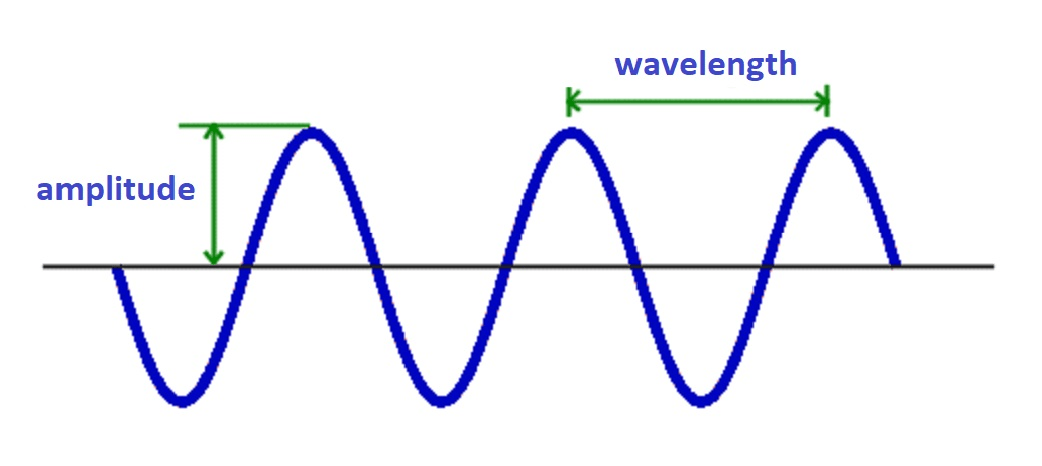
A simple sound wave is a sine wave. Its amplitude sets how loud it is, and its frequency sets the pitch.
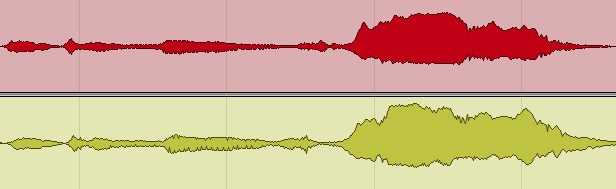
A digital recorder measures the incoming signal at regular intervals and stores each measurement as a number. That’s called sampling. The sequence of numbers is the computer’s version of the wave, and it’s what you see as a waveform in any DAW:
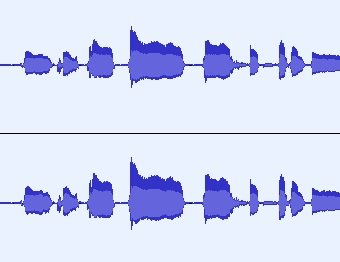
Most DAWs let you zoom in until you see the shape of the wave:
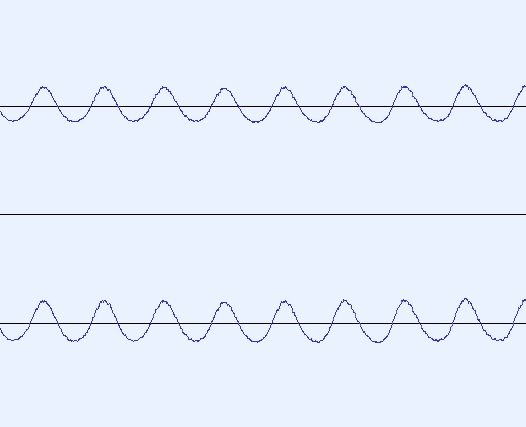
Zoom in further and the line turns into a row of dots. Each dot is one sample:
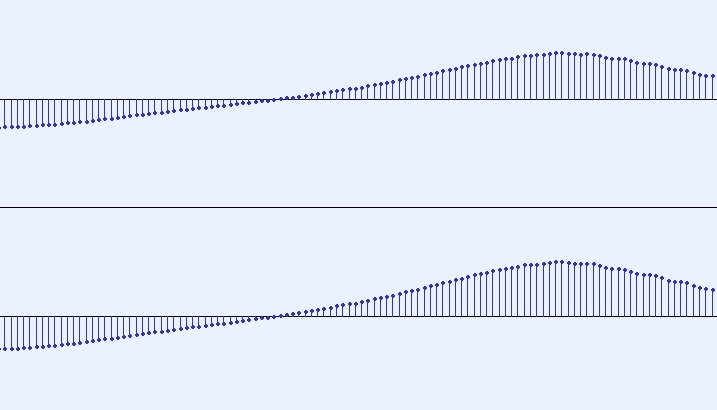
And closer still:
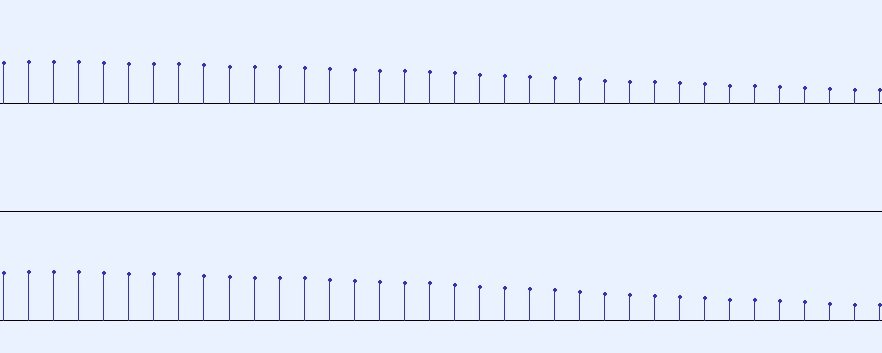
So how often do we need to take a sample? It depends on the highest frequency we want to capture. Human hearing covers roughly 20 Hz to 20 kHz. One hertz is one cycle per second, so the lowest note we hear makes 20 cycles per second and the highest makes about 20,000.
Nyquist–Shannon sampling theorem and aliasing
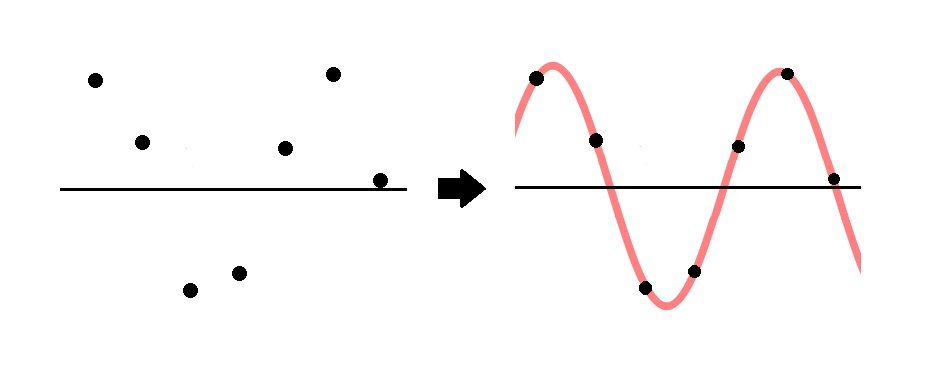
The Nyquist–Shannon sampling theorem says that a signal can be rebuilt exactly from its samples if the sample rate is more than twice the highest frequency in it. Half the sample rate is called the Nyquist frequency: at 44.1 kHz it’s 22.05 kHz.
Here is a simplified picture of a wave rebuilt from its sample points:
If a frequency above the Nyquist frequency gets in, there are fewer than two samples per cycle and the samples describe a different, lower wave. In the picture, the red wave is the one being sampled and the black wave is what gets reconstructed:
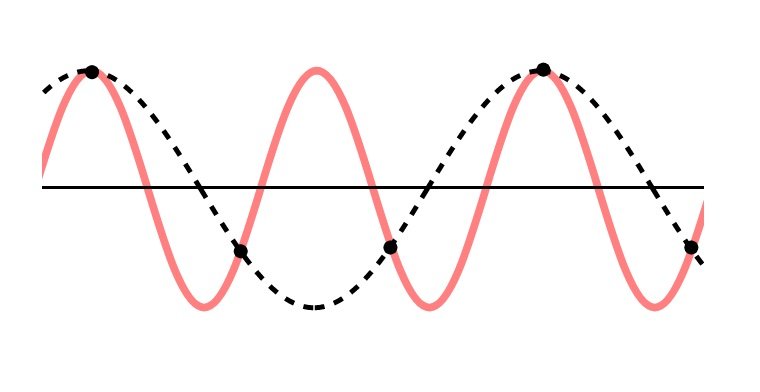
That false frequency is called aliasing. Converters prevent it with a low-pass filter before sampling, and well-designed plugins oversample internally for the same reason.
What is digital audio sample rate?
Sample rate is the number of samples taken per second. To capture the whole audible range up to 20 kHz, it has to be more than 40 kHz, with a little margin for the anti-aliasing filter.
That’s why music settled on 44.1 kHz, the CD standard, and video on 48 kHz.
What does a sampling rate of 44.1 kHz indicate?
It means the signal is measured 44,100 times every second, and each measurement is stored in the file as a number. The highest frequency it can hold is 22.05 kHz.
DAWs and interfaces also offer higher rates, most often 88.2, 96 and 192 kHz.
Is a higher sample rate better?
Not automatically. A 44.1 kHz file already captures the full audible range. What higher rates buy is practical:
- Lower latency at the same buffer size, which helps when tracking through plugins.
- Cleaner results when audio is pitched or time-stretched by large amounts.
- Less aliasing from plugins that don’t oversample on their own.
The costs: 96 kHz files are more than twice the size of 44.1 kHz files, the CPU works twice as hard, and you can run fewer plugins.
Ultrasonic content captured at 192 kHz brings one more risk. It can cause intermodulation distortion in amplifiers and speakers that weren’t built for it, which shows up as noise in the audible range. Converting down with a good sample rate converter removes that content.
Some people record at high rates specifically to capture ultrasonic sound and pitch it down later, for sound design. That’s a separate use from recording songs.
What is the normal sample rate?
44.1 kHz or 48 kHz. In blind listening tests, the difference between those and much higher rates has been small at best, and it depends heavily on the playback chain.
Our advice: pick 44.1 or 48 kHz and put the effort into the room, the microphone placement and the performance. If your computer handles it easily and you like the lower latency, 96 kHz is a reasonable choice too.
What is Audio Bit Depth?
Each sample is a number. Bit depth is how many bits are used to store it, which decides how finely each sample’s level can be described.
Every extra bit doubles the number of available levels. Two bits give 4 levels, three bits give 8, 16 bits give 65,536, and 24 bits give 16,777,216.
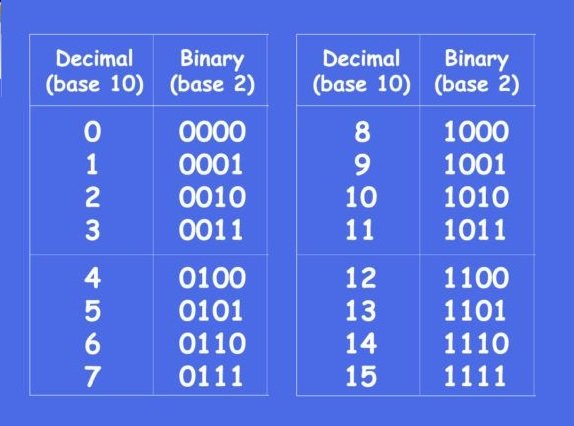
Each doubling of amplitude adds about 6 dB, so each bit adds about 6 dB of dynamic range. Multiply the bit depth by 6 and you get the range the format can cover:
- 16-bit: about 96 dB
- 24-bit: about 144 dB in theory. Real converters reach around 120 dB, so the limit is the hardware, not the file.
- 32-bit float: well over 1,000 dB in theory. In practice it can’t clip inside the computer, which is why DAWs process in floating point.
Is 16 or 24-bit better for audio?
For recording and mixing, 24-bit. The noise floor is far lower, so you can leave generous headroom while recording without the quiet parts sinking into noise.
For playback, 16-bit is already a lot. On the dB SPL scale, 0 dB is the threshold of hearing, a whisper is around 30 dB and a loud concert is close to 120 dB. A well-dithered 16-bit master covers almost all of that.
 That’s why 16-bit became the CD standard, and why it’s still fine as a final consumer format. Streaming services and distributors accept 24-bit, so there’s no need to reduce to 16-bit unless you’re making a CD master.
What is dithering and when is it used?
Cutting a 24-bit file down to 16-bit throws away the lowest bits. Done by simple truncation, that creates quantization distortion that follows the music. You hear it as a grainy, gritty sound on fades and reverb tails.
Dither is a very low-level noise added just before the reduction. It turns that distortion into a steady, benign noise floor far below the music. Apply it once, at the final bit-depth reduction, and nowhere else in the chain.
Is 32-bit depth good audio?
32-bit float is very useful, for different reasons than 24-bit. Inside the DAW, everything is already calculated in 32-bit or 64-bit floating point, which is why a channel that goes “over” in the mixer doesn’t actually clip until it reaches the output.
For files, 32-bit float makes sense when you can’t predict the level, for example a field recorder or a loud live source. For bounces that will be processed further, it’s also a safe format. For finished masters, 24-bit is the standard.
What to take with you
The short version, in two answers.
What is a good sampling rate?
44.1 or 48 kHz. Use 48 kHz for anything going to video. Use 96 kHz if your system handles it and you want lower latency or cleaner extreme processing. Whatever you choose, keep it from recording to the final master and convert only once at the very end, if at all.
What is the best audio bit depth?
24-bit for recording and for the final master, 32-bit float when levels are unpredictable or the file will be processed further, and 16-bit with dither only for CD.
When the track is ready for the final stage, get it mixed and mastered by our engineers from $133 per song, 2–3 days per song, 6 revision rounds included. The full price list covers every other service.
Sample rate and bit depth: FAQ
Should I record at 24-bit or 32-bit float?
24-bit is enough for almost everything and is the standard for delivery. 32-bit float helps when you can’t predict the level of a source, because a 32-bit float file practically can’t clip.
Is 96 kHz better than 44.1 kHz?
In a few specific ways: lower latency, cleaner extreme time-stretching, less aliasing from plugins that don’t oversample. It also doubles storage and CPU load. It’s a reasonable choice, but it won’t make a mix sound better on its own.
Should I record at 192 kHz?
Rarely worth it. The benefits over 96 kHz are hard to demonstrate, and the file sizes and processing load are substantial. Time spent on the room or the performance gives far more back.
What should I send to a mixing engineer?
WAV files at your session’s sample rate, 24 or 32-bit, every track starting at bar 1, with no conversion. See our stem export guides for each DAW.
What sample rate does Spotify use?
You deliver your file through a distributor, and Spotify encodes it for streaming. A 24-bit WAV at 44.1 or 48 kHz is the safe choice for every major platform. Apple Digital Masters requires 24-bit and accepts 44.1 to 192 kHz.
When should I dither?
Once, at the final reduction to 16-bit. Dithering several times through a chain adds noise each time and gains nothing. Leave it to the last step of mastering.
Does sample rate affect latency?
Yes. At the same buffer size in samples, a higher rate means a shorter buffer in milliseconds. That’s one of the more practical arguments for tracking at 96 kHz.
Send us a song you are working on
A rough demo is fine — it does not need to be mixed. A named engineer listens on studio monitors and writes back exactly what is holding the track back, and what to do about it.
- Usually within two working days
- No card, no obligation
- 11,000+ projects behind the answer
Order Complete Mixing and Mastering What it includes All prices