
Short answer: on a Mac, start with GarageBand (free) and move to Logic Pro ($199.99 one-time) when you outgrow it. On a Windows PC, REAPER ($60 personal license, 60-day full trial) is the cheapest complete DAW, FL Studio is the usual pick for beats, and Ableton Live is the one for electronic music and playing live. Every one of them can make a finished record, so choose on workflow, budget and what the people around you use, not on sound quality.
What is the best DAW for beginners? We work with sessions from every major DAW at our professional mixing and mastering studio, and here is how we’d choose if we were starting today. Prices, versions and free tiers below were checked on each developer’s official site on 13 November 2026. Sales come and go, so we list the regular price.
Beginner DAWs compared
| DAW | Price | Free |
|---|---|---|
| GarageBand Mac, iPhone, iPad | Free | Free |
| Logic Pro 13 Mac (also iPad) | $199.99 once, or Apple Creator Studio $12.99/mo | 1-month Creator Studio trial |
| REAPER 7 Windows, Mac, Linux | $60 personal, $225 commercial | 60-day full trial |
| FL Studio 26 Windows, Mac | $99 Fruity, $179 Producer, $269 Signature | Trial with no time limit, can’t reopen projects |
| Ableton Live 12 Windows, Mac | $99 Intro, $349 Standard, $749 Suite | 30-day Suite trial |
| Pro Tools 2026 Windows, Mac | Artist $9.99/mo or $99/yr | Pro Tools Intro, free |
| Cubase 16 Windows, Mac | $99.99 Elements, $299.99 Artist, $599.99 Pro | 30-day trial |
| Fender Studio Pro 8 Windows, Mac, Linux beta | Pro+ $179.99/yr or $19.99/mo, or a perpetual license | 30-day demo; free Fender Studio app |
| Bitwig Studio 6 Windows, Mac, Linux | $99 Essentials, $199 Producer, $399 Studio | 30-day trial |
| BandLab Browser, phone | Free; Pro $14.99/mo | Free plan, 16 tracks |
Regular prices in USD from the official sites on 13 November 2026: Apple, REAPER, Image-Line, Ableton, Avid, Steinberg, Fender, Bitwig, BandLab. Prices in your country may differ.
How to choose your first DAW
All the DAWs here record, edit, mix and master. What differs is how they feel to work in and which jobs they make fast. Ableton Live, for example, is built around playing clips and performing live, while Pro Tools is built around recording and editing audio. Ask yourself four questions:
- What will you mostly do? Make beats, record songs with vocals and instruments, produce electronic music, play live, or work with Dolby Atmos?
- Mac or Windows? Logic Pro and GarageBand are Mac only. Everything else in the table runs on both.
- What can you spend? You can start for nothing and spend $60 to $200 later. You don’t need a top edition to learn.
- What do the people around you use? This one matters more than it looks.
Why a popular DAW is the better first choice
You’ll find plenty of lesser-known DAWs “for beginners” with long feature lists. Start with one of the popular ones anyway, for two reasons:
- You’ll work with other people. Artists, producers and engineers swap sessions. Using the same DAW as your collaborators saves time on every project.
- Answers are easy to find. When something doesn’t work, a popular DAW has manuals, forums and thousands of videos, and probably a friend who uses it. With an obscure one you’re left with trial and error.
Free DAWs to start with
- GarageBand (Mac, iPhone, iPad): free, and the easiest start on Apple hardware. Details below.
- Pro Tools Intro (Windows, Mac): free with no time limit, up to 8 audio, 8 MIDI and 8 instrument tracks, 4 inputs at a time and 36 plugins. Enough to learn the industry-standard workflow. Avid
- BandLab (browser and phone): free, up to 16 tracks on the free plan, good for sketching ideas and working with friends online.
- Cakewalk Next (Windows, Mac): BandLab’s newer free DAW. Note that the old Cakewalk by BandLab has been shut down and can no longer be activated, so ignore older lists that still recommend it. Its successor, Cakewalk Sonar, is unlocked through a BandLab membership. Cakewalk
- Long trials: REAPER is fully working for 60 days, and FL Studio’s trial never expires, though it won’t reopen saved projects until you buy.
- Usually within one working day
- No card, no obligation
- 11,000+ projects behind the answer
The DAWs one by one
Pro Tools: the studio standard for recording and editing
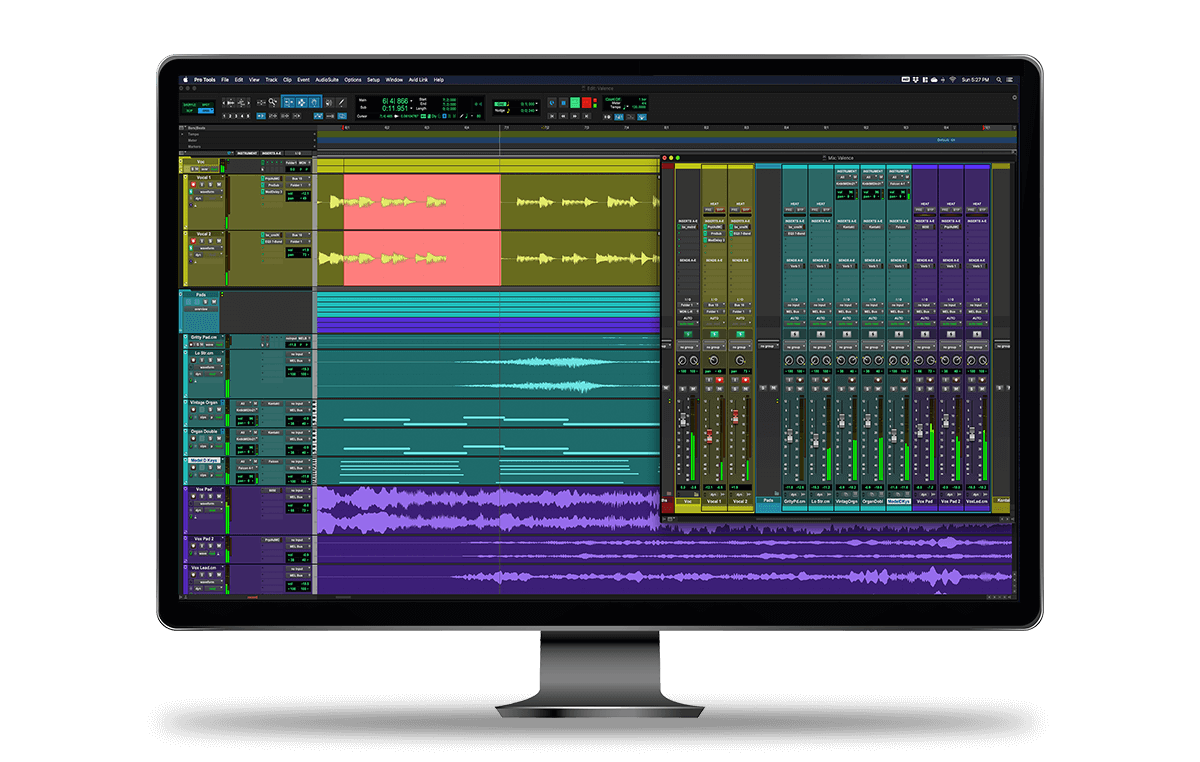
Pro Tools runs on Mac and Windows and is still the common language of recording studios, film and TV post-production. If you plan to work in studios, learning it makes sense. It’s the hardest start on this list, though: the interface takes time, and it’s built around audio rather than beat-making.
The current version is Pro Tools 2026.11. Pro Tools Intro is free (8 audio tracks). Artist costs $9.99 a month or $99 a year with 32 audio tracks, and Studio $34.99 a month or $299 a year with 512. Avid lists Celemony Melodyne 5 essential as included with Artist, Studio and Ultimate, which is handy for vocal pitch editing. Source: Avid pricing.
Logic Pro: the best value on a Mac
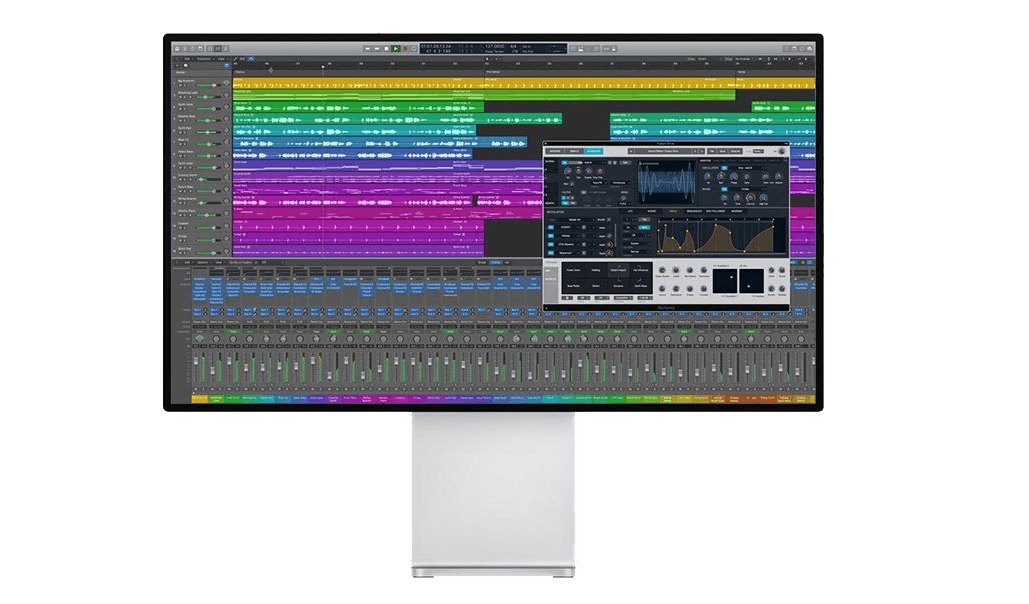
Logic Pro is Apple’s professional DAW and runs only on Mac (there’s also an iPad version). It does everything from songwriting and beat-making to recording, mixing and mastering, and it comes with a large library of instruments, loops and effects. If you’ve used GarageBand, Logic will feel familiar, and it opens GarageBand projects.
Logic Pro 13 costs $199.99 once on the Mac App Store. Apple also includes it in the Apple Creator Studio subscription ($12.99 a month or $129 a year, with a one-month free trial for new subscribers), together with Final Cut Pro, MainStage and other apps. Sources: Apple, Mac App Store. Learn its pitch tools with how to auto-tune in Logic Pro.
Spatial Audio in Logic Pro
Logic Pro has built-in tools for Dolby Atmos mixing, including a renderer and binaural monitoring on headphones. For a beginner this is a bonus rather than a reason to choose it: learn to make a good stereo mix first.
FL Studio: the beat-maker’s DAW
FL Studio (once called Fruity Loops) runs on Windows and Mac and is built around the step sequencer, the piano roll and patterns, which makes it very quick for hip-hop, trap and EDM beats. Image-Line gives lifetime free updates for the edition you buy, and you can move up an edition later by paying the difference.
The current version is FL Studio 26. Pick the edition carefully: the $99 Fruity Edition has no audio recording and no audio clips, so you can’t record vocals in it. Image-Line itself calls the $179 Producer Edition the best choice for beginners. Signature is $269 and All Plugins $449. Sources: Image-Line pricing, download page.
Cubase (and Nuendo)
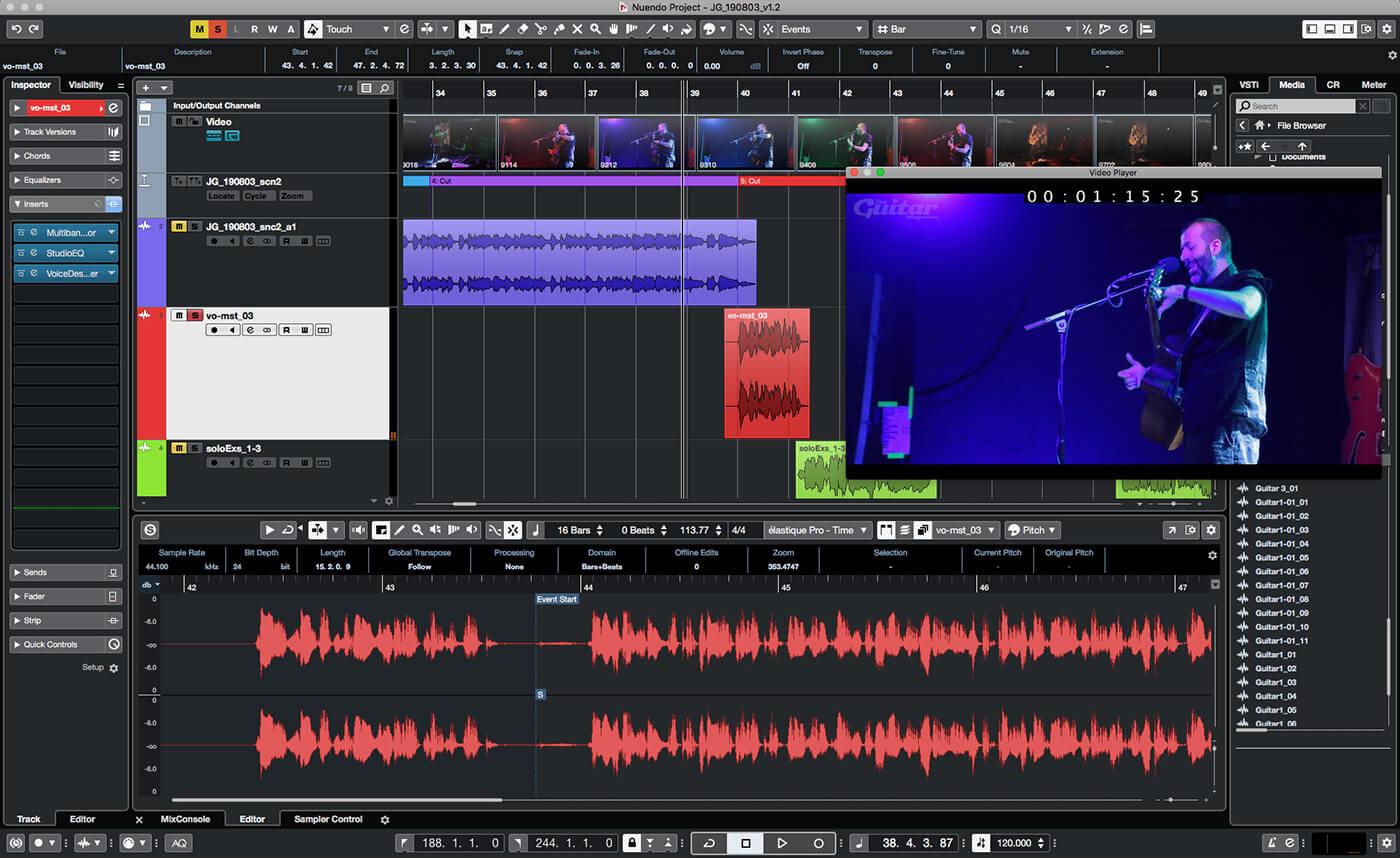
Cubase, from Steinberg, is a long-established all-rounder on Mac and Windows, strong on MIDI, composing and recording. Cubase 16 came out in November 2026 in three editions: Elements $99.99, Artist $299.99 and Pro $599.99, all one-time licences with a 30-day trial. Elements is a reasonable first step, and you can upgrade later. Source: Steinberg.
Nuendo is Steinberg’s sibling of Cubase for film, TV and game audio. It shares most of Cubase’s design, so moving between them is easy, but a beginner making songs doesn’t need it.
Ableton Live: electronic music and live shows
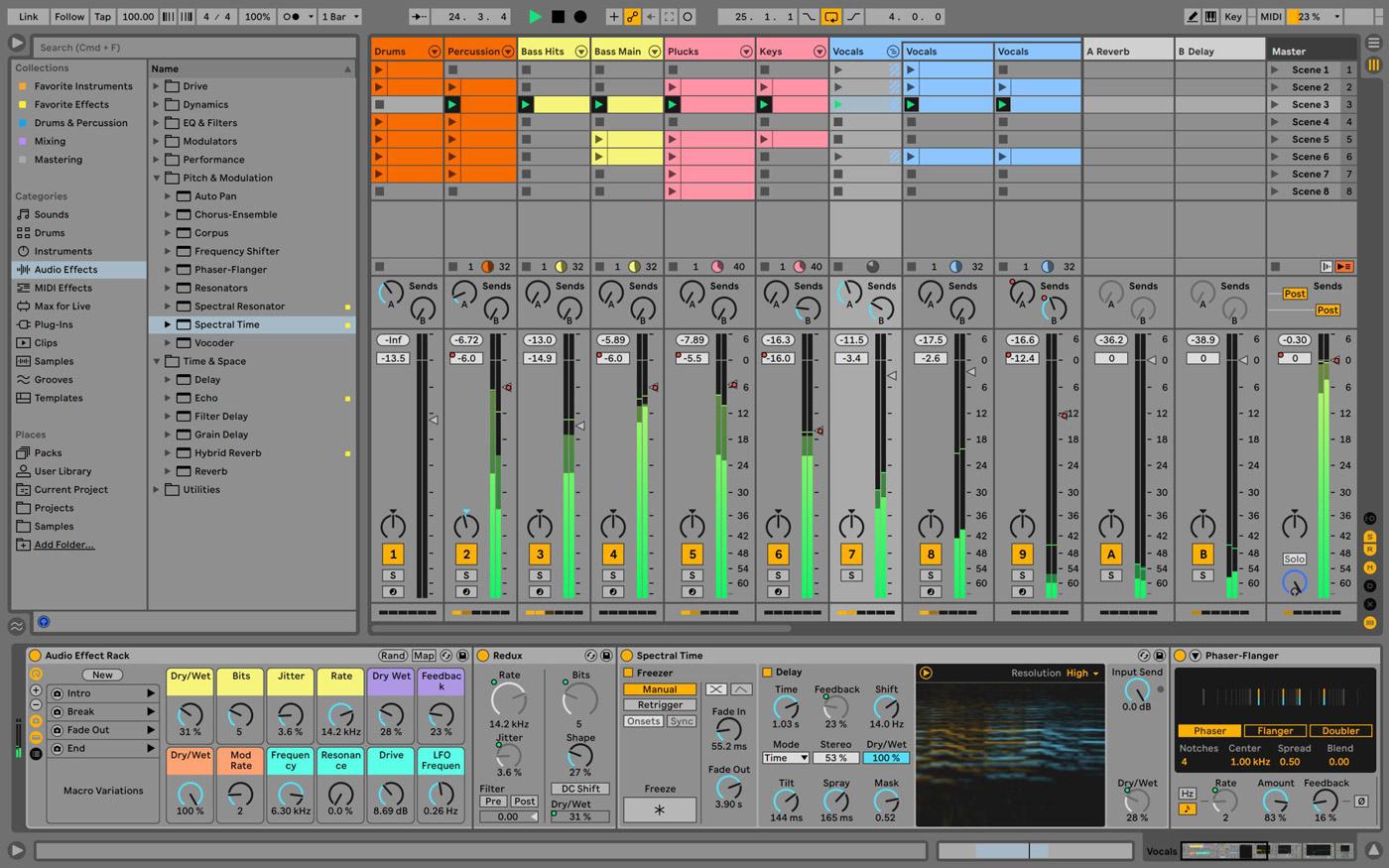
Ableton Live’s Session View lets you launch and combine clips in real time, which is why so many electronic producers and live performers use it. It records and mixes songs just as well, but the workflow pays off most for loop-based music and the stage.
Live 12 Intro is $99 with up to 16 audio and MIDI tracks, Standard $349 and Suite $749, all one-time. The 30-day trial is the full Suite. Live Lite comes free with some hardware. Ableton says Live 13 is due in early 2027 and Live 12 purchases include the upgrade. Sources: Ableton shop, edition comparison.
REAPER: the most DAW for the money
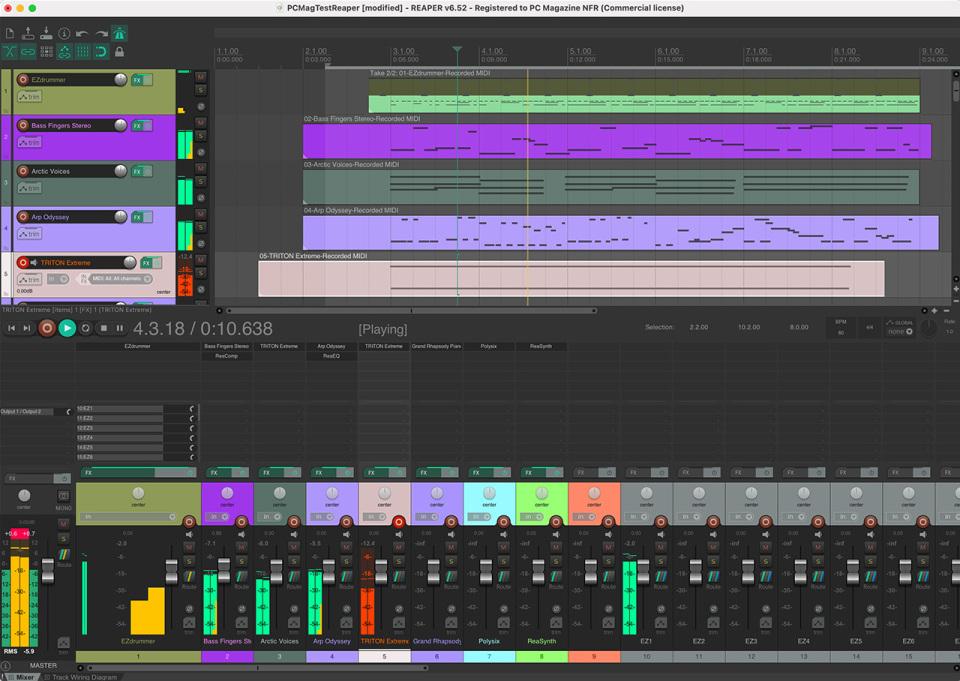
REAPER runs on Windows, Mac and Linux, installs in a few minutes and runs well on an average laptop. A personal licence is $60 (for individuals and businesses under $20,000 a year in revenue), a commercial one $225, and either covers updates up to version 8.99. The evaluation is fully working for 60 days. Source: reaper.fm.
It’s very customisable, from the look of the interface to scripts and your own plugins. The trade-off is that it comes with few instruments and sounds, so for making music from scratch you’ll add third-party instruments and samples. It has a large user community and an active forum, so answers are easy to find.
GarageBand: the easiest free start on a Mac
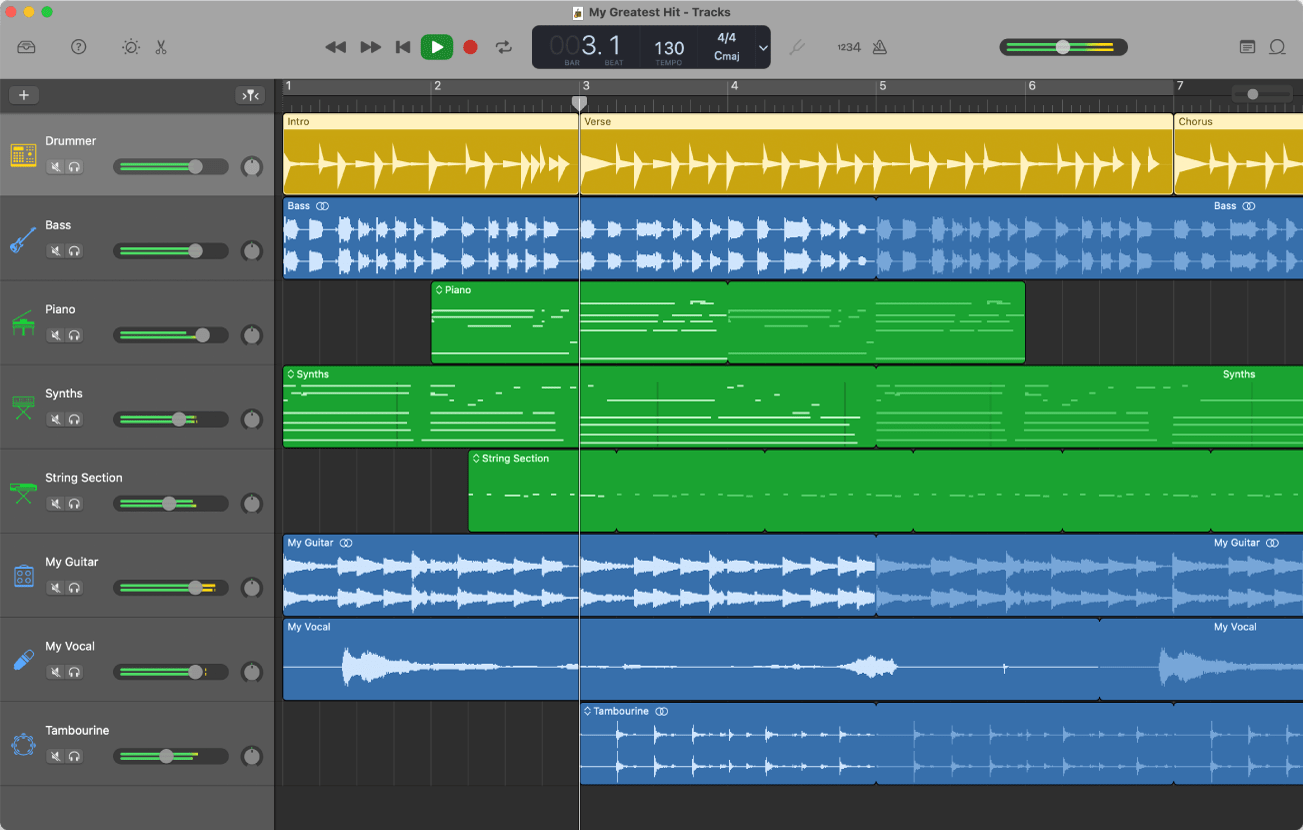
GarageBand is free on Mac, iPhone and iPad. Apple’s Mac version offers up to 255 audio tracks, built-in piano and guitar lessons, Apple Loops and the Drummer feature with virtual drummers that play along with your song. You can add third-party plugins, and when you outgrow it, Logic Pro opens your GarageBand projects. Source: Apple.
Fender Studio Pro (formerly Studio One)
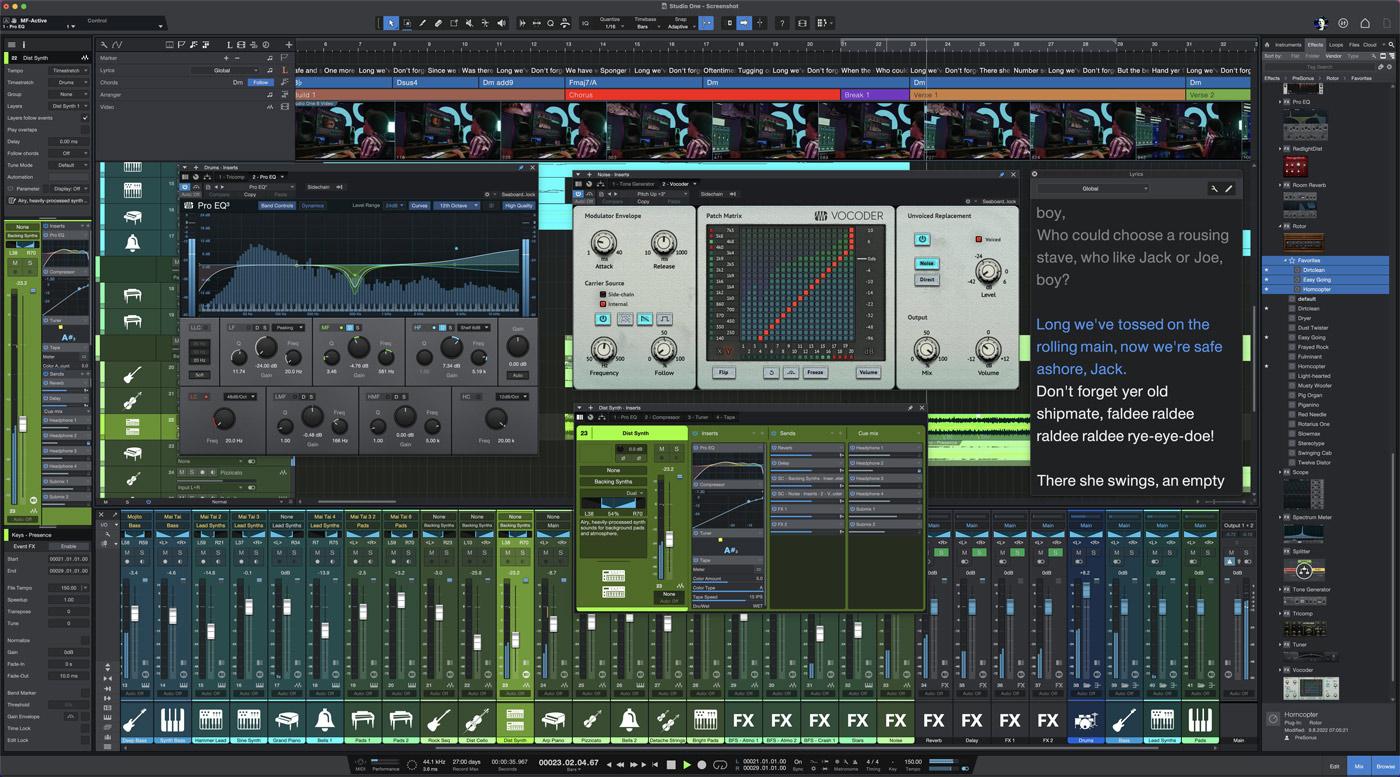
PreSonus Studio One Pro is now Fender Studio Pro, currently version 8. It keeps the drag-and-drop workflow that made Studio One popular with people switching from other DAWs, and it runs on Mac, Windows and, as a public beta, Linux. You can buy a perpetual licence with a year of feature updates, or subscribe to Pro+ for $179.99 a year (which includes a perpetual licence) or $19.99 a month. There’s a 30-day demo. The old free Studio One Prime is now a legacy edition; Fender’s free option is the Fender Studio app. Source: Fender.
Bitwig Studio
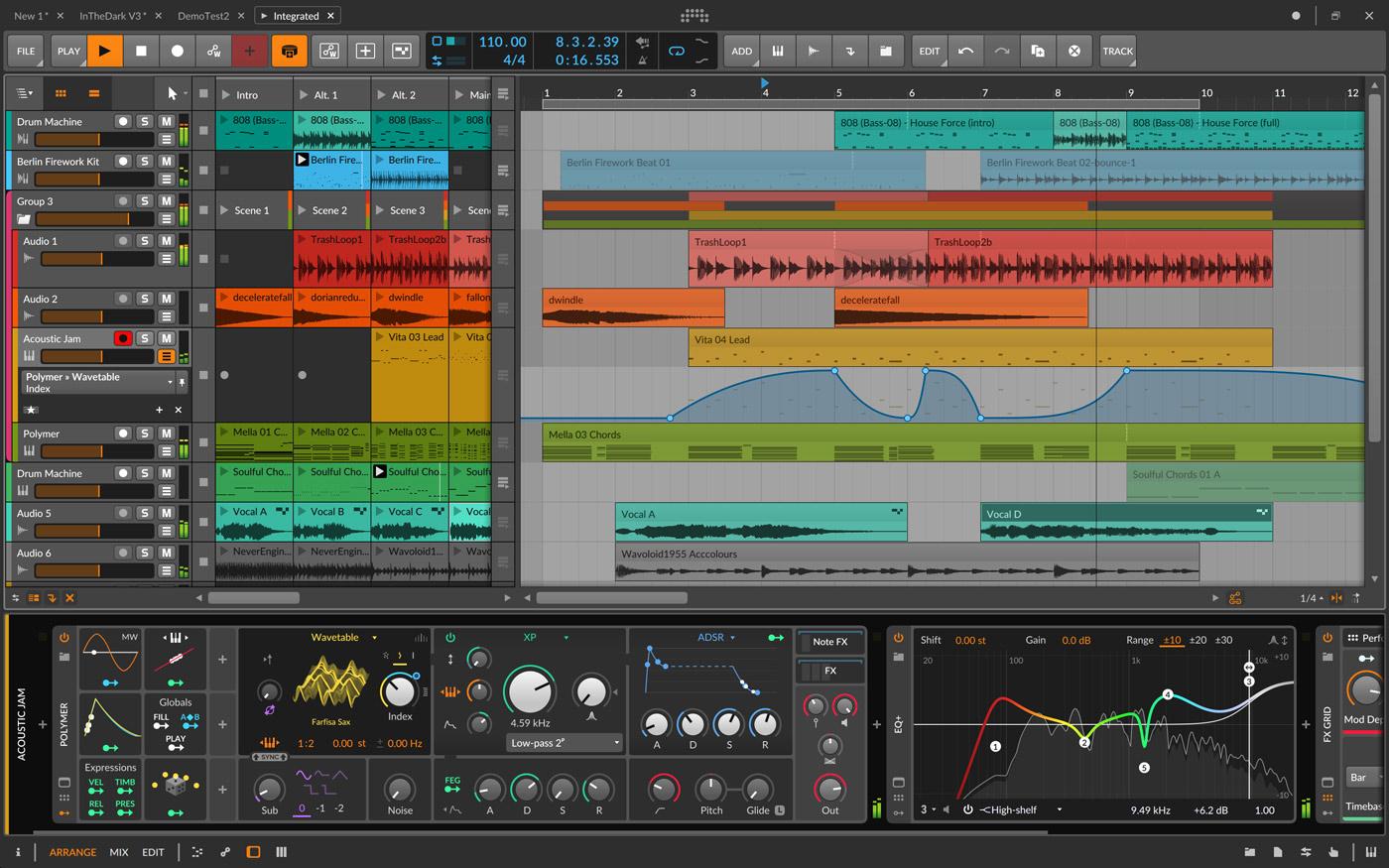
Bitwig Studio runs on Mac, Windows and Linux and is popular for electronic music and sound design, with a clip launcher similar to Ableton’s and a lot of modulation. Bitwig Studio 6 comes in three editions: Essentials $99, Producer $199 and Studio $399. Even Essentials has unlimited tracks. Each licence includes 12 months of upgrades and keeps working after that. The trial lasts 30 days. Source: Bitwig.
BandLab
BandLab runs in a browser and on phones, it’s free, and it’s built for collaboration: you can start a song on your phone and invite someone to add a part. The free plan allows 16 tracks, and the Pro plan ($14.99 a month) 32. It’s a good sketchpad. For recording and mixing a full release you’ll usually want one of the desktop DAWs above. Source: BandLab.
Which DAW should you pick?
| Goal | Start with |
|---|---|
| Beats | FL Studio Producer, or Ableton Live Intro |
| Songs, Mac | GarageBand, then Logic Pro |
| Songs, PC | REAPER, or Cubase Elements |
| Electronic, live | Ableton Live, or Bitwig Studio |
| Studio career | Pro Tools Intro, then Artist |
| $0 budget | GarageBand (Mac), Pro Tools Intro, BandLab |
| Linux | REAPER or Bitwig Studio |
Beginner mistakes when choosing a DAW
- Buying the top edition first. Intro and entry editions are enough to learn. Most developers let you upgrade later by paying the difference.
- Buying a version that can’t record. FL Studio’s Fruity Edition has no audio recording. If you sing or play, start at Producer.
- Switching DAWs every few months. Each switch costs months of fluency and doesn’t make your music better. Switch only when your DAW stops you doing something you need.
- Following old lists. Studio One is now Fender Studio Pro, and Cakewalk by BandLab no longer works. Check the developer’s own site before you buy.
- Judging DAWs by sound. A mix sounds good because of the decisions in it, not the software. Spend the time on learning to mix instead.
When the song is ready to mix
Whatever you choose, you’ll eventually send the song to be mixed. Engineers work from individual audio files, not your project, so learn how to export them in your DAW: Pro Tools, Logic Pro, FL Studio, Cubase, Ableton Live, REAPER and GarageBand. If you’re past the beginner stage and choosing a DAW to mix in, read the best DAW for mixing.
Not sure the song is ready? Send it for a free track review, rough demo or not, and an engineer will tell you what is holding it back.
When the track is ready for the final stage, send it to us for a full mix and master: from $133 per song, 2–3 days per song, 6 revision rounds included. Mixing only starts at $113. Every service and add-on is listed on our prices page.
Choosing a DAW: FAQ
Which DAW is best for beginners?
On a Mac, GarageBand and then Logic Pro. On Windows, REAPER for recording songs on a budget, FL Studio for beats and Ableton Live for electronic music. If your friends or collaborators already use one, pick that one so you can ask them questions.
What is the best DAW for beginners on Windows?
REAPER is the best value at $60 with a 60-day full trial. FL Studio Producer ($179) is the most common choice for beat-makers, and Ableton Live Intro ($99) for electronic music. Pro Tools Intro and Cakewalk Next are free.
What is the easiest DAW to learn?
GarageBand on a Mac, and BandLab in a browser or on a phone. Both hide most of the complexity. Among the full DAWs, FL Studio is quick for beats and Fender Studio Pro is known for its drag-and-drop workflow.
Is there a good free DAW?
Yes. GarageBand is free on Apple devices, Pro Tools Intro is free with 8 audio tracks, and BandLab and Cakewalk Next are free. Cakewalk by BandLab, the old free Windows DAW, has been shut down.
Does the DAW affect sound quality?
No. Any of these DAWs can make a release-quality record. Differences people hear come from pan law defaults, stock plugins and gain staging, not from the audio engine.
What is the difference between beginner and professional DAWs?
Mostly track limits and bundled content. Entry editions such as Ableton Live Intro (16 tracks) or Pro Tools Intro (8 audio tracks) cap tracks and include fewer instruments and effects. The core of recording, editing and mixing is the same, and you can upgrade later.
Should I switch DAWs to improve my music?
Almost never. Switching costs months of fluency for no gain in quality. Switch when your current DAW really blocks something you need, not because another one looks better.
Can I open my project in a different DAW?
Generally not. Some DAWs exchange sessions through formats like AAF or OMF, with mixed results. That’s why engineers ask for exported audio files, one per track, rather than project files. See what stems are.
Before the mix: the part that is yours. Most of what a mix spends its time fixing was decided long before the session reached us — sound selection, arrangement, the way things were recorded. When those decisions stop repeating the same mistakes, the record is better before anyone touches it, and so is what we can do with it. That is what our production course is: 21 modules on the decisions that get made before the mix, taken from eleven thousand client sessions.
Stuck on a mix?
Send it as it is — a rough demo or a mix in progress. Max Rayden or Ivan Taiga listens on studio monitors and writes back exactly what is holding the track back, and what to do about it.
- Usually within one working day
- No card, no obligation
- 11,000+ projects behind the answer
Order Complete Mixing and Mastering What it includes All prices